

Local usage
Desktop, browser and TUI share one personal backend. It owns capture, processing and SQLite storage; each viewer holds a lease. After the final disconnect and reconnect grace it stops, leaving accepted work durable for next time.
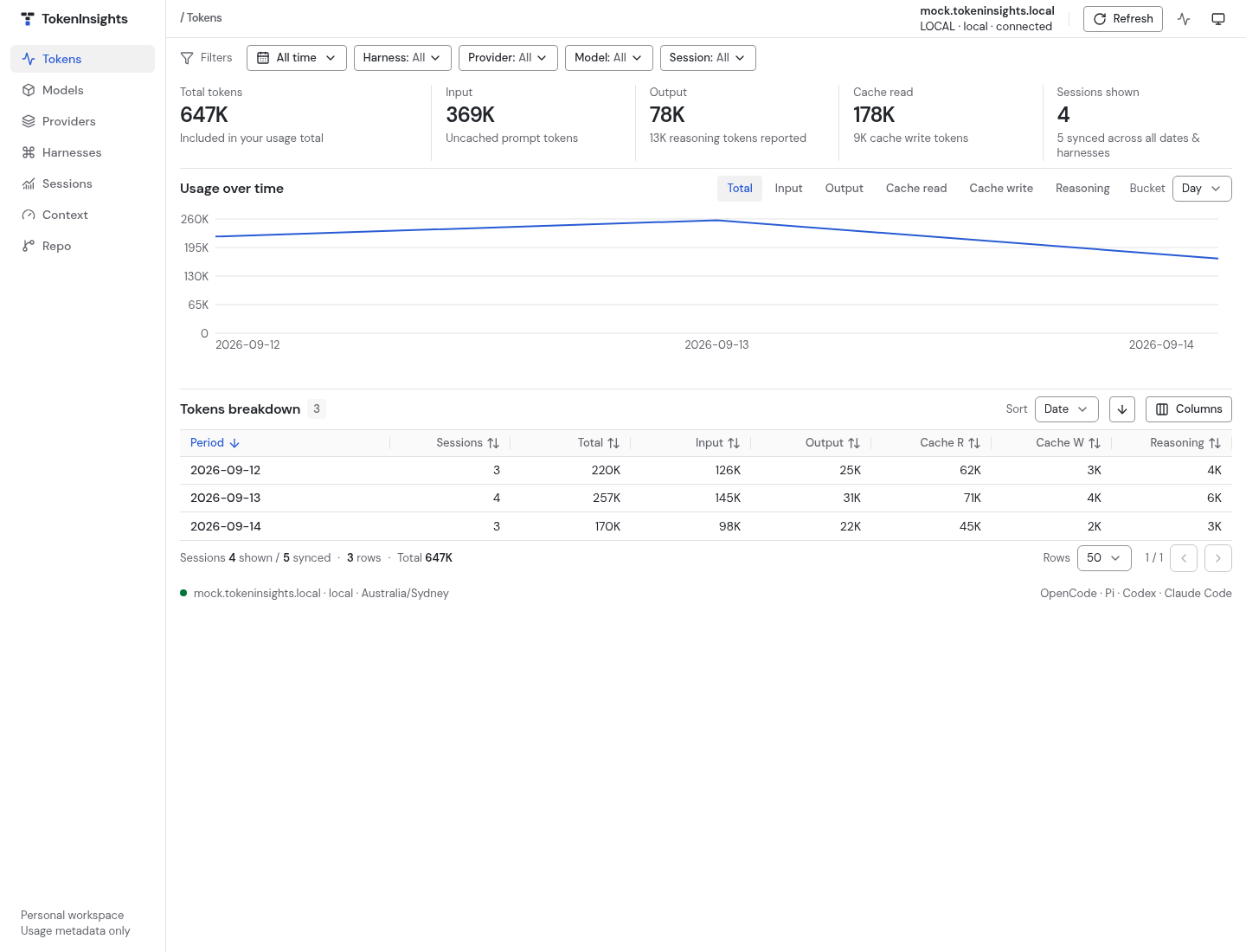
Desktop
tokeninsightsDesktop launch succeeds only after it acknowledges a live requested session. If unavailable, it fails with repair guidance. Each window keeps its selected connection and shows requested target/transport, verified backend hostname/identity and state.
Browser dashboard
tokeninsights web
tokeninsights web --port 9000
tokeninsights web --open=false
Web prints a loopback URL and runs foreground. Default port 0 chooses an available
port; an occupied explicit port fails. --open=false prints the URL without
opening a browser. Ctrl+C releases this command's lease; other viewers continue.
The loopback bridge belongs to the viewer; the backend has only a private Unix
socket. --host accepts loopback addresses. Use temporary TCP access
for another machine rather than exposing an unauthenticated browser bridge.
Refresh versus reload
Launch captures usage. Explicit Refresh (TUI R) requests capture again on the selected
backend; overlapping requests coalesce. Saved results remain readable while capture
and processing run. Filters, browser reload, TUI r and automatic revision reads
only query saved usage. There is no periodic scanning.
tokeninsights web --capture=false
tokeninsights tui --capture=false
tokeninsights web --full-refresh
--capture=false skips launch capture while accepted processing resumes.
--full-refresh rereads sources and retries unchanged quarantined input.
A failed source preserves prior evidence/checkpoints; later launch/Refresh retries
eligible sources. Changed source/parser policy also retries quarantine.
Status and saved results
The loading indicator separates capture, processing and displayed revision. Source counts measure files/databases, never sessions/tokens. Failed/quarantined sources remain explicit. No percentage or ETA is estimated. A refresh completes only when processing is visible and a successful query displays the current revision. Saved usage remains available on failure.
No new usage means unchanged sources or no sources found, without excluding earlier history. The hostname identifies the serving backend machine; retained facts may describe sources captured elsewhere in the past.
The dashboard checks saved-data status and automatically updates published revisions. This is query polling, not source scanning. Retry controls recover failed requests. Process CPU/RSS and detailed capture progress are operational metadata.
Filters and accounting
Date range and provider/model/harness/session filters affect displayed usage only, never source discovery. Daily, Weekly, Monthly, Yearly, All time and Custom operate in the backend timezone; weeks start Monday. Custom reveals inclusive, optionally open date inputs. Previous/next steps calendar periods through the current one.
Repo view groups by repository/directory; location filters apply only there. Missing locations remain unknown. Expand an unknown row to inspect available contributing directory labels. Location keys help grouping, never deduplication.
Confirmed usage is the default. Review excluded usage shows ambiguous usable counters separately under the same filters; it never adds them to confirmed totals. Missing/unusable session/time/counters remain diagnostics. Session context load is the peak of input + cache read + cache write, excluding output/reasoning; context summaries aggregate those per-session peaks.
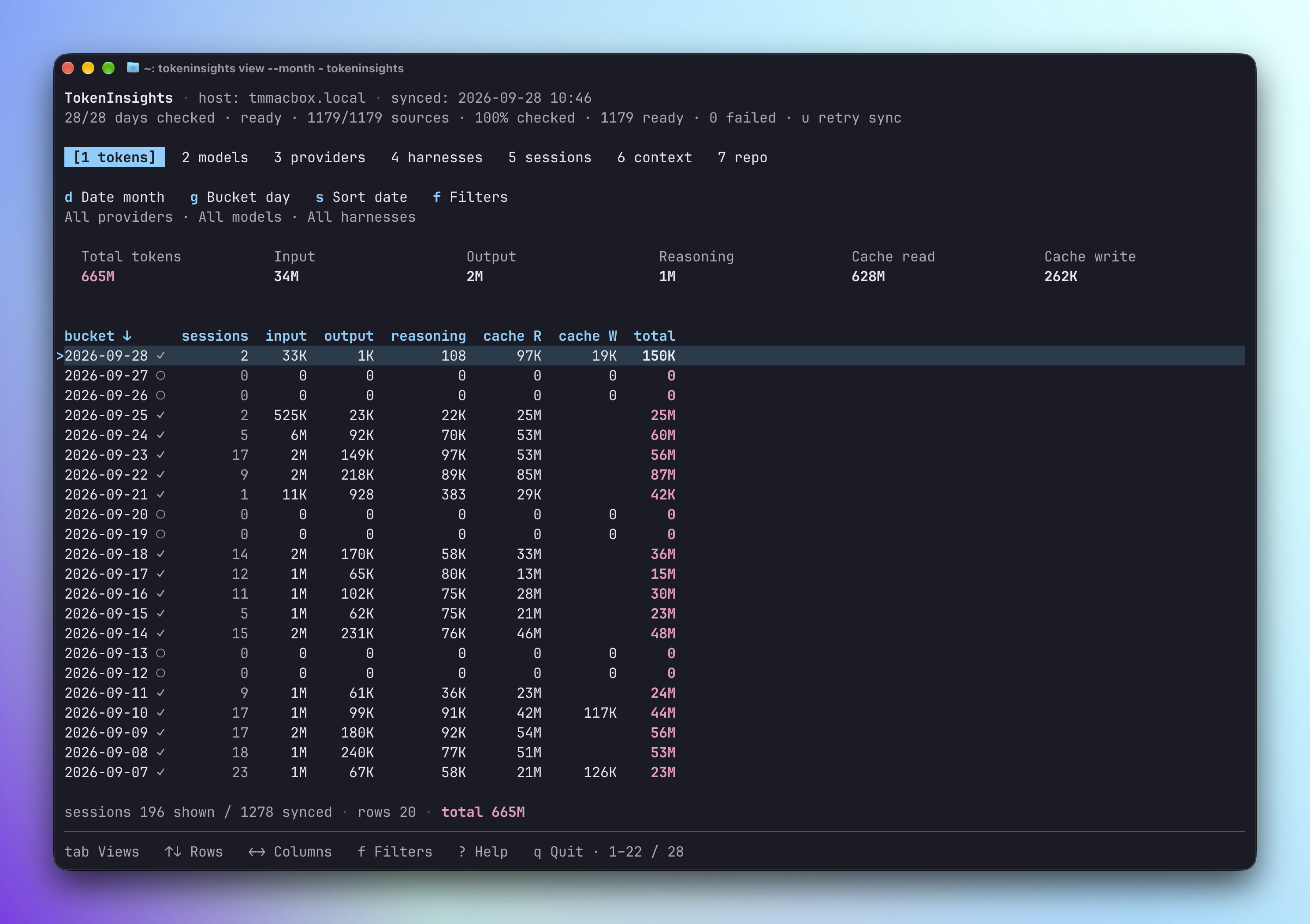
Terminal dashboard
tokeninsights tui
tokeninsights tui --today --bucket day
tokeninsights tui --harness pi,codex
Press r to query saved usage again; it starts no capture.
Persistent harness rows show discovery, reading, saving and finalized sources.
The TUI reads its complete result from one consistent snapshot, using the same
analytics as the dashboard with a 100,000-row limit.
See commands for filters/keys and remote connections for explicit SSH/TCP viewing.